 Español
 Français (France)
 Français (Canada)
 Deutsch



What are Cosmonauts and the Cosmonaut Pass?
Cosmonauts (previously known as Citizens) are players who bought the premium Cosmonaut Pass (previously known as Citizenship) with real money. This pass allows the players to unlock more clothing & furniture items to buy, expand their home, walk their pets, get special items, participate in special events, enter special rooms, earn more Bugs, level up faster, get a bigger chat bubble, add more friends and much more!
❗Players who buy the Cosmonaut Pass also get shop credit to buy premium items!
What are premium items?
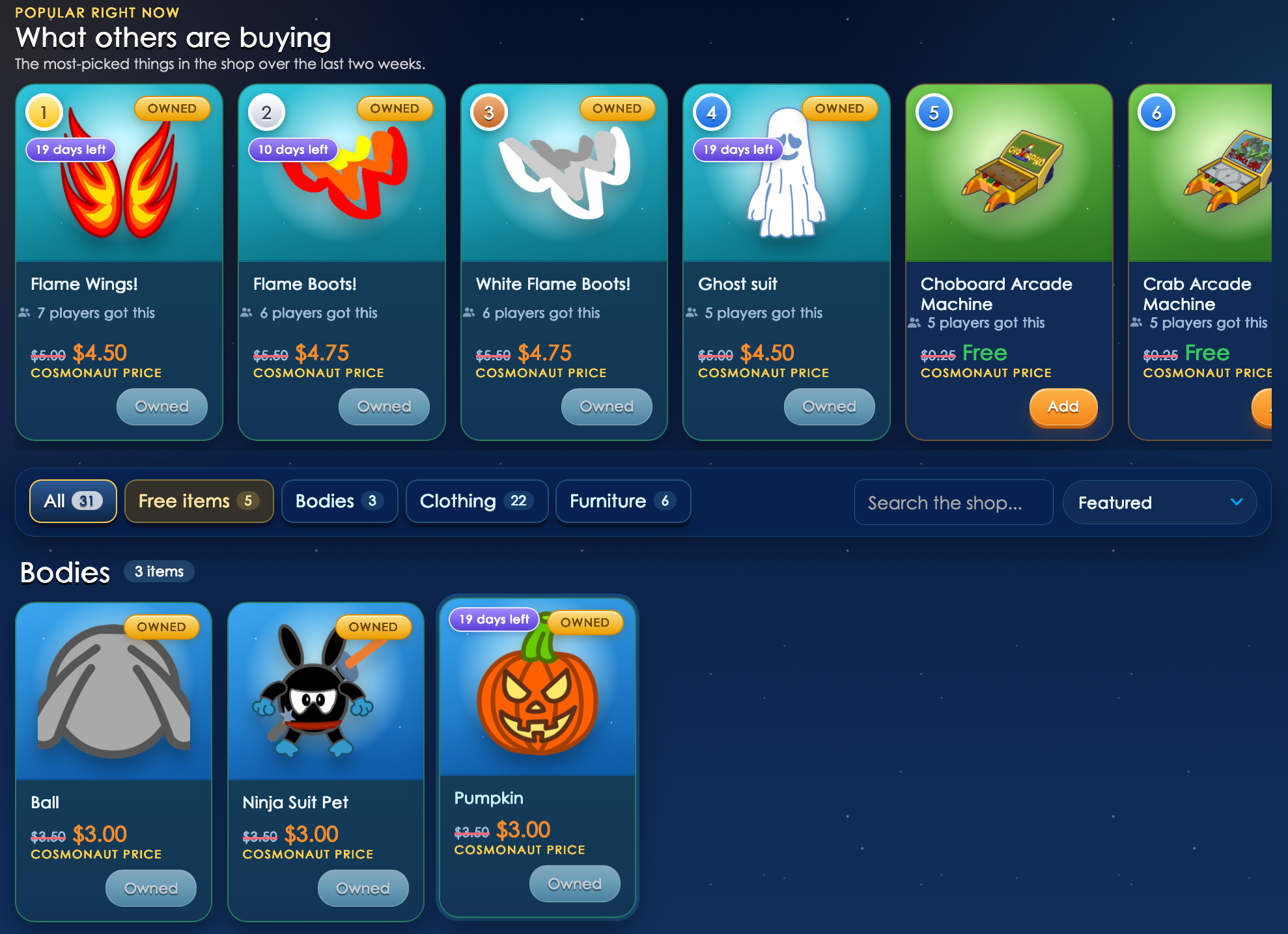
Premium items are available in the Premium Shop, where the Cosmonaut Pass is also available. There, with real money, you can purchase new bodies, rare items, player cards, chat bubbles and more. Players with a Cosmonaut Pass get a discount on the premium items. You can also top-up your wallet to add funds and get items.
❗Sometimes there are special bundles available for a special price. Make sure to check the Premium Shop every once in a while!
How does it work?
It's simple! On the Chobots website, log into your account and click on Visit the Shop.

From there you will be able to purchase the Cosmonaut Pass and premium items.
How much does it cost?
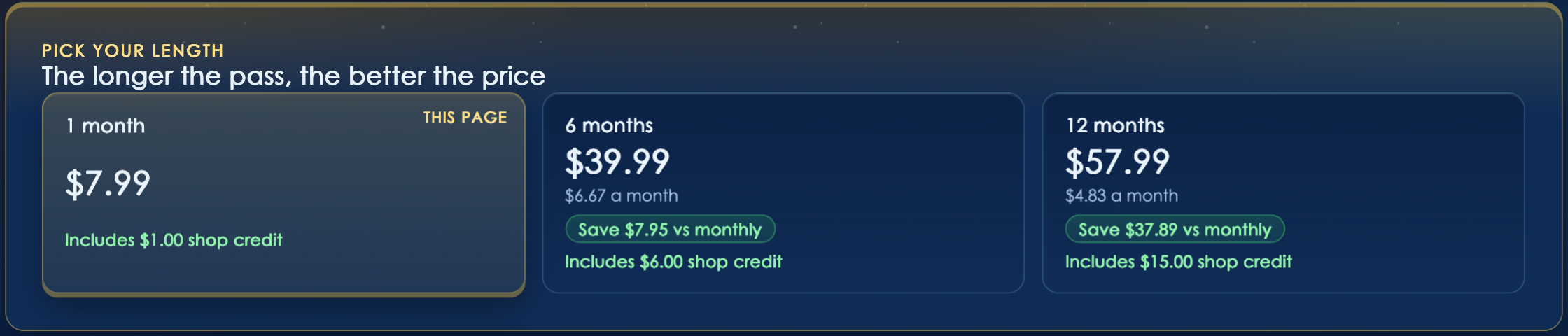
For the Cosmonaut Pass, the prices are fixed, and depend on the amount of time you get your pass for.
- 1 month Cosmonaut Pass: Costs $7.99 and includes 5,000 Bugs and $1 shop credit.
- 6 months Cosmonaut Pass: Costs $34.99 and includes 30,000 Bugs and $6 shop credit.
- 12 months Cosmonaut Pass: Costs $57.99 and includes 60,000 Bugs and $15 shop credit.
For the premium items, it depends on the item itself. Some cost as low as $3.50 and some cost $10.
Why should I buy anything?
Buying something is up to you. It's not mandatory at all. If you'd like to unlock exclusive perks and support the team in keeping the game alive, you can buy the Cosmonaut Pass or premium items. Some players do both!
Are there refunds?
The Cosmonaut Pass is non-refundable, but the premium items are. You have 14 days to change your mind and you can refund Premium Shop items from your Wallet. Find the item you want to get a refund for and then click on Refund.

How can I top-up my wallet?
While inside the Premium Shop, click on Wallet on the top right corner, and then click on Add credit.

You will then be redirected to a page that will ask for an amount and a way to pay. You can pay using you credit/debit card number, PayPal, Amazon Pay and Cash App Pay. You can use Visa, MasterCard, AMEX and Discover cards.
❗Buying anything from the Premium Shop is completely safe and all funds go directly to supporting the game.

Comments
Nobody has commented yet.
Sign in to comment